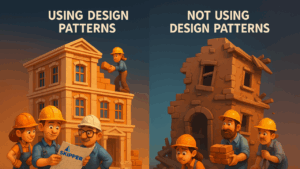
Design Patterns in Test Automation: From Messy Scripts to Maintainable Code with POM
By Eduard Dublier, Automation Expert & CTO of Skipper Soft
In today’s tech-driven world, where software development is the heartbeat of innovation, the structure and principles behind your code can make or break your product’s quality. That’s where design patterns come in.
In this article, I want to walk you through how leveraging design patterns—specifically the Page Object Model (POM)—can transform your fragile, unreadable automation scripts into robust, maintainable, and scalable test frameworks.
The Problem: Fragile, Repetitive, and Hard-to-Maintain Code
Let’s start with a typical example: writing an end-to-end test for an e-commerce store. You need to add an item to the cart, apply a coupon, change quantity, and complete checkout.
Without design patterns, such a script might look like this:
# A simplified demo: not recommended for real-world projects
from selenium import webdriver
from selenium.webdriver.common.by import By
from selenium.webdriver.support.ui import WebDriverWait
from selenium.webdriver.support import expected_conditions as EC

def test_purchase_item_without_pom():
    driver = webdriver.Chrome()
    driver.implicitly_wait(10)
    driver.maximize_window()

    driver.get("<http://demos.bellatrix.solutions/>")
    WebDriverWait(driver, 10).until(EC.element_to_be_clickable((By.CSS_SELECTOR, "[data-product_id*='28']"))).click()
    WebDriverWait(driver, 10).until(EC.element_to_be_clickable((By.CSS_SELECTOR, "[class*='added_to_cart wc-forward']"))).click()

    WebDriverWait(driver, 10).until(EC.url_contains("/cart/"))
    driver.find_element(By.ID, "coupon_code").send_keys("happybirthday")
    driver.find_element(By.CSS_SELECTOR, "[value*='Apply coupon']").click()
    WebDriverWait(driver, 10).until(EC.visibility_of_element_located((By.CSS_SELECTOR, "[class*='woocommerce-message']")))

    quantity_box = driver.find_element(By.CSS_SELECTOR, "[class*='input-text qty text']")
    quantity_box.clear()
    quantity_box.send_keys("2")
    driver.find_element(By.CSS_SELECTOR, "[value*='Update cart']").click()

    WebDriverWait(driver, 10).until(EC.visibility_of_element_located((By.XPATH, "//*[@class='order-total']//span")))
    driver.find_element(By.CSS_SELECTOR, "[class*='checkout-button button alt wc-forward']").click()

    WebDriverWait(driver, 10).until(EC.url_contains("/checkout/"))
    driver.find_element(By.ID, "billing_first_name").send_keys("John")
    driver.find_element(By.ID, "billing_last_name").send_keys("Doe")
    driver.find_element(By.ID, "billing_email").send_keys("[email protected]")

    WebDriverWait(driver, 10).until(EC.url_contains("/order-received/"))
    assert "Order received" in driver.find_element(By.XPATH, "//h1").text

    driver.quit()
This might work, but it comes with major flaws:
- Duplication of logic for element waits and locators
- Hardcoded data like names and coupons
- Low readability, mixing test logic with Selenium boilerplate
- Fragility — any UI change will break multiple lines of code
The Solution: Enter Design Patterns
What Are Design Patterns?
Design patterns are proven solutions to common software design problems. They offer templates based on real-world engineering experience and were popularized in the book Design Patterns: Elements of Reusable Object-Oriented Software by the “Gang of Four” (1994).
Test automation engineers are software developers. Using design patterns like Page Object Model is not optional — it’s essential.
Benefits of Design Patterns in Test Automation:
- Reuse tested solutions
- Improve code maintainability
- Avoid common mistakes
- Increase code readability and clarity
- Enable scalability
- Standardize code structure and communication across teams
Page Object Model (POM): Structure Your Tests Like a Pro
What Is POM?
The Page Object Model is a widely adopted design pattern in UI automation. It separates the test logic from the UI interaction logic by creating classes for each web page or component.
Each Page Object class encapsulates:
- Locators: How to find UI elements
- Methods: How to interact with the page
Your tests then become simple, readable, and resilient to change.
Let’s refactor the previous test using POM:
# Simplified for demonstration
class BasePage:
    def __init__(self, driver):
        self.driver = driver
        self.wait = WebDriverWait(driver, 10)

    def go_to_url(self, url):
        self.driver.get(url)
        self.driver.maximize_window()

class HomePage(BasePage):
    def navigate_and_add_item(self):
        self.go_to_url("<http://demos.bellatrix.solutions/>")
        self.wait.until(EC.element_to_be_clickable((By.CSS_SELECTOR, "[data-product_id*='28']"))).click()
        self.wait.until(EC.element_to_be_clickable((By.CSS_SELECTOR, "[class*='added_to_cart wc-forward']"))).click()

class CartPage(BasePage):
    def apply_coupon(self, code):
        self.driver.find_element(By.ID, "coupon_code").send_keys(code)
        self.driver.find_element(By.CSS_SELECTOR, "[value*='Apply coupon']").click()
        return self.wait.until(EC.visibility_of_element_located((By.CSS_SELECTOR, "[class*='woocommerce-message']"))).text

    def update_quantity(self, quantity):
        box = self.driver.find_element(By.CSS_SELECTOR, "[class*='input-text qty text']")
        box.clear()
        box.send_keys(str(quantity))
        self.driver.find_element(By.CSS_SELECTOR, "[value*='Update cart']").click()

    def proceed_to_checkout(self):
        self.driver.find_element(By.CSS_SELECTOR, "[class*='checkout-button']").click()

class CheckoutPage(BasePage):
    def fill_details(self, first, last, email):
        self.driver.find_element(By.ID, "billing_first_name").send_keys(first)
        self.driver.find_element(By.ID, "billing_last_name").send_keys(last)
        self.driver.find_element(By.ID, "billing_email").send_keys(email)

    def confirmation_message(self):
        return self.driver.find_element(By.XPATH, "//h1").text

def test_purchase_with_pom():
    driver = webdriver.Chrome()
    driver.implicitly_wait(10)

    home = HomePage(driver)
    cart = CartPage(driver)
    checkout = CheckoutPage(driver)

    try:
        home.navigate_and_add_item()
        assert "Coupon code applied" in cart.apply_coupon("happybirthday")
        cart.update_quantity(2)
        cart.proceed_to_checkout()
        checkout.fill_details("John", "Doe", "[email protected]")
        assert "Order received" in checkout.confirmation_message()
    finally:
        driver.quit()
Why POM Is a Game-Changer
- Cleaner Tests: Focus on high-level actions, not element details
- Centralized Locators: Change once, apply everywhere
- Reusable Components: Use page actions across multiple tests
- Scalable Structure: Grow your test suite without growing chaos
5 Best Practices for POM in Python
- Follow SRP (Single Responsibility Principle): Keep actions, locators, and assertions modular.
- Use Composition for Common UI Sections: Header, footer, modals as separate reusable objects.
- Name Methods by Business Logic: Use apply_coupon instead of click_apply_coupon_button.
- Hide Selenium Details Inside Page Objects: Use waits, error handling inside the page layer.
- Manage Test Data Separately: Avoid hardcoded data; use configs or data providers.
Conclusion
Design patterns—especially Page Object Model—are powerful tools for automation engineers. They help turn brittle, spaghetti test scripts into scalable, maintainable automation frameworks. The time you invest in proper design pays off in stability, readability, and speed of development.
Ready to Level Up Your Automation Game?
Start applying POM today to gain clarity, control, and confidence in your test automation code. If you need help refactoring your suite or implementing a scalable framework, we’re here to help.

At Skipper Soft , we help QA teams and startups shift left — with strategy, systems thinking, and test automation that scales. Let’s build quality from day one.